Chapter 9
Leveling Up
Leveling up
Hopefully after reading this book you feel much more confident in your ability to make something look awesome, without relying on a designer. But even though we’ve tried our best to cram in every good idea we could possibly think of, there will always be more out there to learn.
Here are two of the best ways you can continue to hone your skills, and add new tools to your toolbelt.
Look for decisions you wouldn’t have made
Whenever you stumble across a design you really like, ask yourself:
“Did the designer do anything here that I never would have thought to do?”
Maybe it’s the way they inverted the background color on a datepicker:
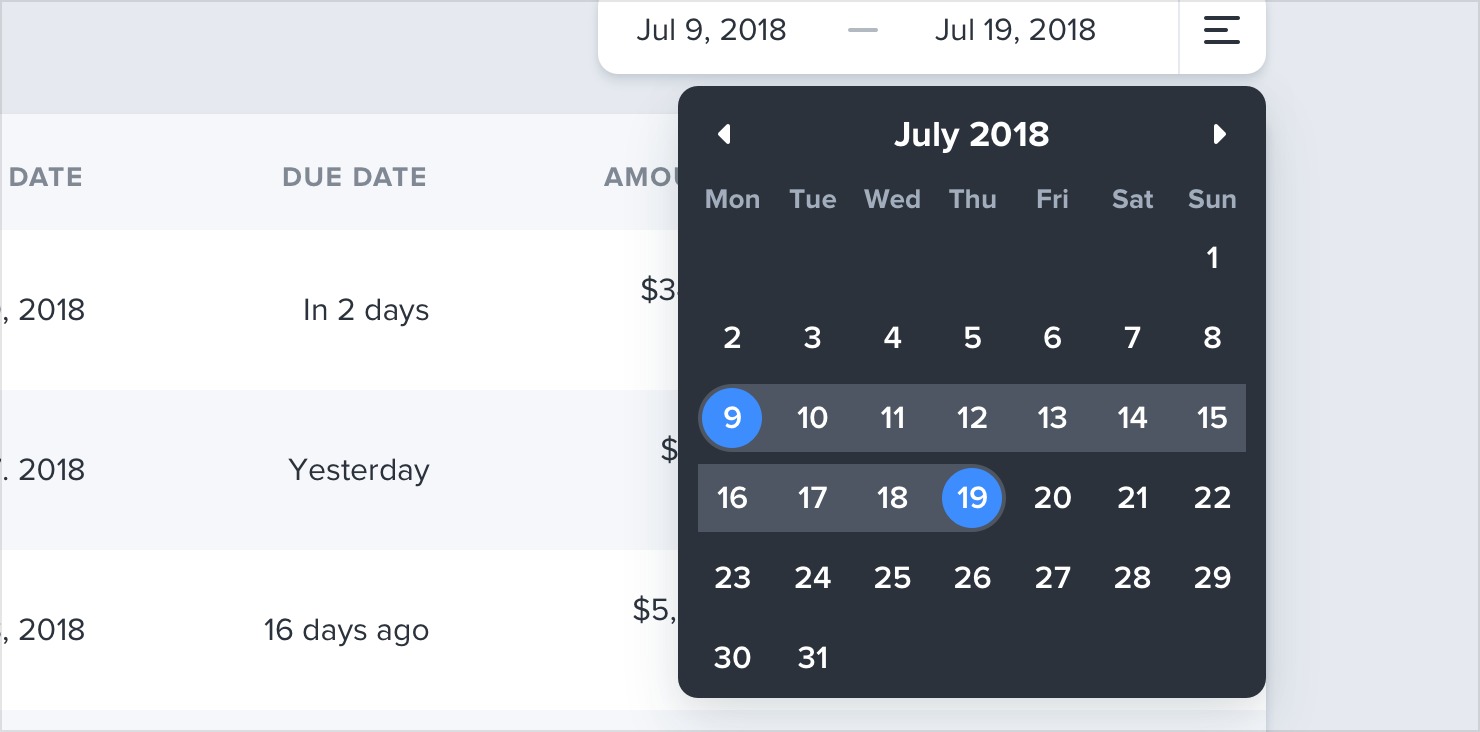
…or the way they positioned a button within a text input instead of on the outside:

…or something as simple as using two different font colors for a headline:

Paying attention to these sorts of unintuitive decisions is a great way to discover new ideas that you can apply to your own designs.
Rebuild your favorite interfaces
The absolute best way to notice the little details that make a design look
really polished is to recreate that design from scratch, without peeking at the developer tools.
When you’re trying to figure out why your version looks different than the original, you’ll discover tricks like “reduce your line height for headings”, “add letter-spacing to uppercase text”, or “combine multiple shadows” all on your own.
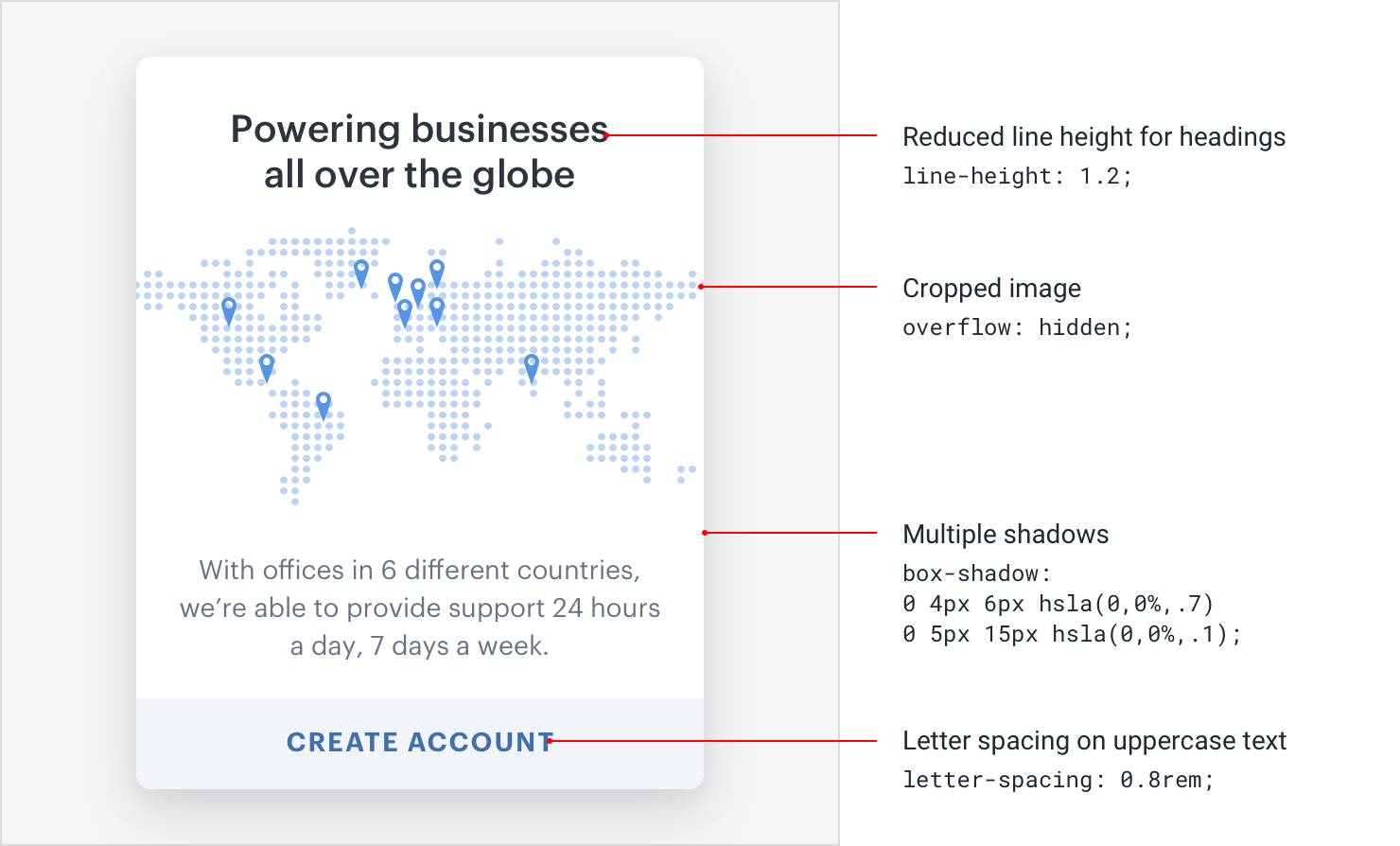
By continually studying the work that inspires you with a careful eye, you’ll be picking up design tricks for years to come.
— Adam Wathan & Steve Schoger